
COMBINATION FAC FA90 SCV44KDU0ASH2
Download Samsung SCV44 U0 Combination file COMBINATION FAC FA90 SCV44KDU0ASH2 FRP file Revision REV02. SCV44KDU0 is a service firmware for Galaxy SM-SCV44. Factory Binary 0 with FA90 Oreo 9.0 and Security Patch Level U0. Released in month August year 2019 and PDA SCV44KDU0ASH2 created for Region/Country with [ KD ] How To Make Combination File | Samsung Free.
[ads_top]
COMBINATION_FAC_FA80_J600FXXU5ASH1(By_titanicphone.com).zip firmware file or FRP File can be flash with Latest Samsung Odin3. If you can not find matching ROM/firmware you can also Bypass Google Account FRP lock SM-SCV44 without Combination file
Download SM-SCV44 U0 Combination file SCV44KDU0ASH2 Free
You are going to download Samsung SM-SCV44 U0 combination file REV02 file. This file can work on Samsung SM-SCV44 with PDA version SCV44KDU0 What is combination file in Samsung Galaxy Mobile
Download SM-SCV44 Combination FileDetails SM-SCV44 U0 COMBINATION FAC FA90 SCV44KDU0ASH2
Details of Samsung SCV44 U0 FRP file. The Combination file comes in a zip package not contains the Official Samsung USB Driver, Odin Downloader Tool, Combination flash file, and How-to flash Manual. Flash Official Firmware on Samsung
[ads_content]
| ROM | Details |
|---|---|
| File Name | |
| PDA/AP Version | SCV44KDU0ASH2 |
| Samsung Device | Samsung Galaxy Fold |
| Model Name | SM-SCV44 |
| Binary | 0 |
| OS Version | FA90 – Oreo 9.0 |
| Security Patch Month | August |
| Year of release | 2019 |
| Region/Country | [ KD ] => |
| Factory Binary Level | U0 |
| Revision | REV02 |
| Total Downloads |
NOTE:
SCV44KDU0ASH2 FRP file or flash file will work on Samsung Galaxy SM-SCV44 only. Do not use this FRP ROM on other Samsung mobile. This firmware security patch level is U0 Please check the Samsung Device security path level before start flash.
Samsung Galaxy Fold SM-SCV44 More Supported files
| Model | PDA | Factory Finary | Download links |
|---|
✅ FAQ – Samsung Galaxy Fold SM-SCV44 U0 Frequently Asked Questions
Download SCV44KDU0ASH2 Samsung SCV44 U0 combination file. This will work on SM-SCV44 U0.
SCV44 U0 FRP can be removed with SCV44KDU0ASH2. Some case SCV44KDU0ASH2 combination unable to remove FRP on Samsung SM-SCV44 U0.
You can flash SCV44KDU0ASH2 combination file SM-SCV44 U0 by using Samsung Odin. First download SCV44KDU0ASH2 SM-SCV44 U0.
Bypass FRP SCV44 U0 you have to flash SCV44KDU0ASH2 combination file.
Caution: 1
It recommended check the security patch level, model number and Region/Country before start the flashing process with the SCV44KDU0ASH2 FRP firmware file. Always use the latest Samsung Odin3 while flashing the Samsung device.
[ads_content]
Caution: 2
Flashing Samsung Galaxy Fold SM-SCV44 U0 combination file will erase all data from the device permanently. Therefore, we always recommend to taking a backup of your personal data and content before following the flashing guidelines. You can also fix ” Please get the approval to use factory binary (Pit) “
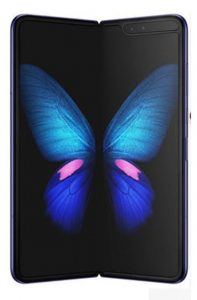
Samsung Galaxy Fold
Samsung Galaxy Fold SM-SCV44 Combination ROM is still limited Boot Security and sometimes it keeps FRP lock, EE, and other securities. Enable USB debugging Samsung Galaxy with combination file Basically It’s only for testing devices and fixing a few software problems. So, once the problem has been fixed, we have to flash the stock official ROM to make the device working again. you can also fix This phone has been flashed with unauthorized software and is locked fix
Related Combination File
N980F U1 combination file FRP Samsung N950U combination file U5 T837 Samsung combination U4 free Download FRP file Samsung N920A combination ROM U4 Samsung T813 Binary 1 combination file A805F FRP combination file Galaxy R365 bit 2 combination FRP file Samsung T395 Binary U9 combination file A013F U1 combination file download FRP fileAbout Author

combination ROM
We provide combination firmware file for Samsung mobiles. for Samsung Galaxy Combination Firmware Files ROM a310 a510s a520l a710k a910f g530 S6 edge g925p S7 g930s g935s g920t g935t S8 g950u S8+ Plus S9 and S9 Plus, Note 9 Note8. Combination firmware is a ROM for developers or engineers they run the device also can fully read and test the equipment of the device.